The Predictive Repair Playbook: Stop IT Fires Before They Start
Tired of IT fire drills? Learn how the hidden data in refurbished devices can help you predict hardware failures, slash downtime costs, and build a proactive IT strategy for 2025.

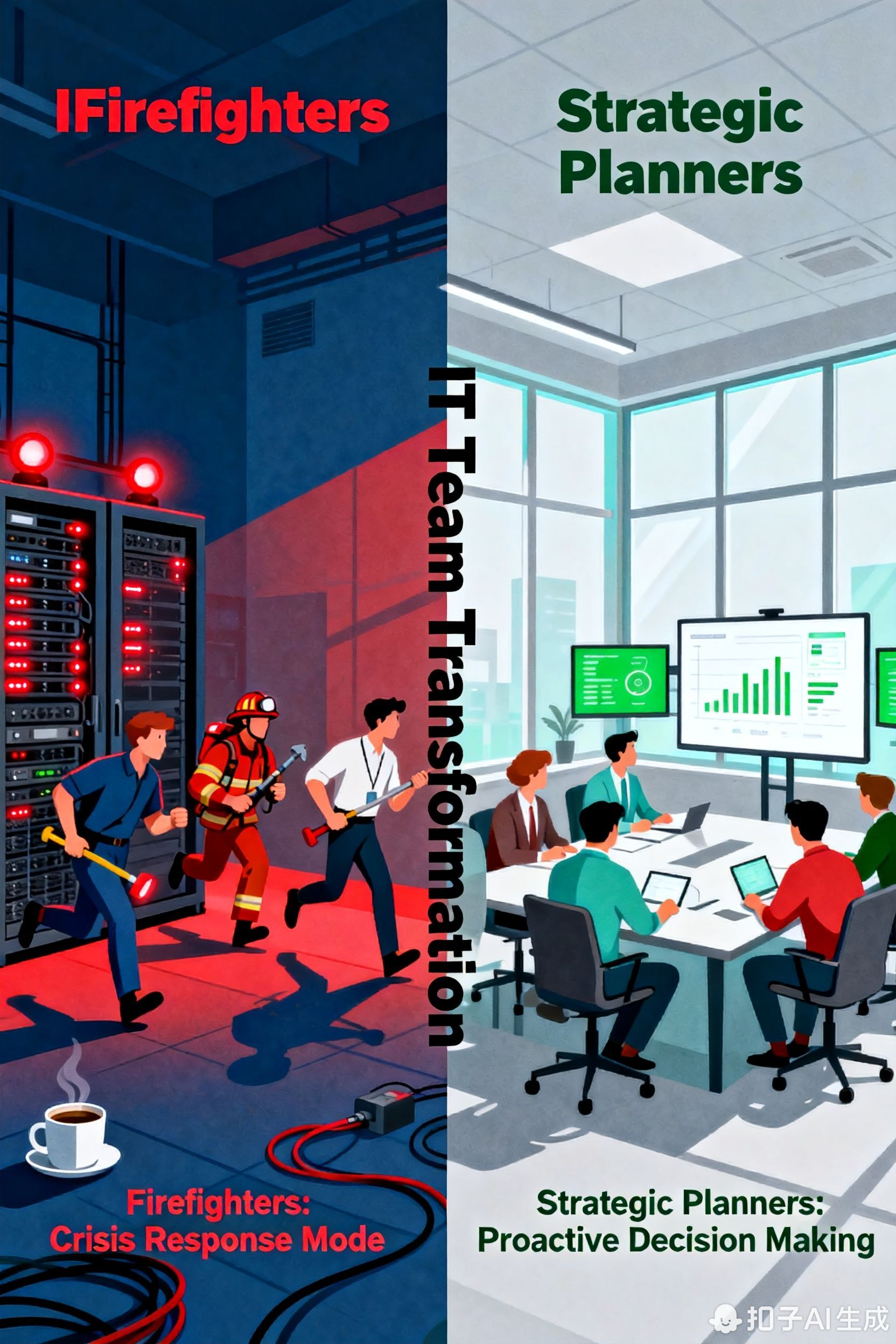
It’s 4 PM. Your finance team is racing against the clock to finalize the quarterly report. Then, without warning, a critical laptop gives up the ghost. What follows is a familiar nightmare: the frantic help desk ticket, the scramble for a spare machine, and the sinking feeling as a deadline whooshes by.
Sound familiar? This reactive "break-fix" cycle is a multi-billion dollar drain on businesses. But what if you had a crystal ball?
That crystal ball is here, and it’s not magic—it’s data. Specifically, it's the rich, historical data we can learn from refurbished devices. This is your 2025 playbook for using that data to stop reacting to IT disasters and start predicting them, transforming your IT operations from a cost center into a strategic advantage.
From Putting Out Fires to Preventing Them: The End of Reactive IT
Let's be honest: the old IT model is broken. We've all been trapped in the reactive loop—device fails, ticket is logged, everyone panics. It’s expensive, disruptive, and turns your talented IT team into glorified firefighters.
The future is proactive. It’s about using data to see around corners and fix problems before they ever impact an employee. And the secret weapon in this shift? The refurbished data advantage.
Think about it: a high-quality refurbished laptop has a story to tell. It’s not just a "used device"; it's a data goldmine with a documented history of battery cycles, component stress, and real-world performance. This collective intelligence from thousands of devices is what allows you to build a smarter, more resilient inventory.
Beyond the Price Tag: The Real Value in a Refurbished Device
When you choose a top-tier refurbisher, you're not just getting a great deal on hardware. You're buying a deep well of intelligence. Here’s the kind of actionable data that comes with it:
- Component Lifecycle Facts: Ever wondered how long that specific laptop model's battery really lasts? This data tells you. (e.g., "Dell Latitude 7400 batteries typically hold 80% charge for about 34 months.")
- Failure Rate Analytics: Get the inside scoop on which models are workhorses and which are lemons, allowing you to make smarter buying decisions.
- Real-World Performance: See how devices handle your actual software suite over time, not just in a manufacturer's perfect lab environment.
- Decoded Quality Scores: Understand what "A-Grade" truly means with data-backed reliability scores attached to each device.
> Look for this: The best refurbishers provide transparent, device-specific history reports. If they can't show you the data, keep looking.
Your 2025 Game Plan: Building a Failure-Proof IT Fleet
Ready to put this into practice? Let's build your predictive maintenance engine in four straightforward steps.
Step 1: Source with Data in Mind
Change your buying criteria. Partner with refurbishers who offer model-level failure analytics. The goal is to buy proven reliability, not just the cheapest box.
Step 2: Connect the Dots Internally
Merge the failure data from your refurbisher with your own internal ticketing system (like ServiceNow or Jira). This powerful combo reveals if the failure patterns they're seeing are starting to play out in your own company.
Step 3: Set Your "Pre-Failure" Alerts
Create simple, data-backed rules for action. For example: "When our fleet of Lenovo ThinkPads hits 90% of their predicted SSD lifespan, automatically schedule them for a preemptive swap."
Step 4: Automate the Fix
Use your IT management tools to automate these alerts and schedule the maintenance. This takes the guesswork out and ensures your plan runs like clockwork.
Can You Really Predict a Laptop's Failure? (Spoiler: Yes.)
Let's make this concrete with a hypothetical scenario based on real-world data patterns.
Case Study: The Great SSD Crash of 2024 (That Never Happened)
Data from 10,000 refurbished HP EliteBooks shows a 12% failure rate for a specific SSD model between months 30 and 34 of its life.
The Old Way (Reactive): You wait. The result? A dozen of your employees suddenly lose their work, leading to data recovery nightmares and hours of downtime.
The New Way (Predictive): You schedule preemptive SSD replacements at month 28. The result? A calm, planned, low-cost hardware refresh with zero surprises and zero lost productivity.
This is the power of predictive repair: you trade chaos for control.
The Real ROI: Saving Money and Sanity
Moving to a predictive model isn't just a tech upgrade—it's a financial and cultural win.
- Slash Downtime Costs: Preventing a single one-hour outage for a 50-person team can save thousands. That savings alone can fund preemptive repairs for an entire department.
- Budget with Confidence: Swap unpredictable emergency spending for smooth, planned operational budgets.
- Boost Productivity & Morale: An IT team that’s innovating, not just fixing, and employees who aren't battling tech issues, are simply more effective.
- Do Good for the Planet: Extending the life of your devices is a huge win for your sustainability goals, dramatically cutting down on e-waste.
Your First 90 Days: A No-Sweat Implementation Plan
This doesn't require a massive, overnight overhaul. Here’s a calm, phased approach for your first quarter.
- Phase 1 (Days 1-30): The Audit. Take stock of your current fleet. Identify your oldest or most troublesome models. Start conversations with potential refurbished data partners for a pilot program.
- Phase 2 (Days 31-60): The Pilot. Run a small-scale test. Equip one team (like Sales or Marketing) with data-rich refurbished devices and start monitoring the performance insights.
- Phase 3 (Days 61-90): The Scale-Up. Based on your pilot results, formalize your predictive thresholds and start rolling the strategy out to other departments, weaving the data into your everyday IT workflows.
Stop Panicking. Start Predicting.
The evidence is in: the "wait-for-it-to-break" model is a dead end. In 2025, the most effective IT leaders won't be the best firefighters—they'll be the best architects, building an infrastructure that's resilient by design.
Refurbished device data is your blueprint. It’s the key to a calmer, more cost-effective, and radically reliable IT operation.